
Install
Before you start
Section titled “Before you start”- A Linux box with Docker (Compose v2) and Node.js installed.
- To go live: a DNS A record for your hostname pointing at the box, and ports 80 and 443 reachable from the internet. Let’s Encrypt issues the certificate against port 80. To evaluate on the box itself, skip both.
Install
Section titled “Install”-
Unpack the bundle:
Terminal window tar xzf teamhud-selfhost.tar.gz && cd teamhud -
Run first boot:
Terminal window ./firstboot.shIt asks only what it cannot work out:
Question Answer Public hostname teamhud.example.com. Blank on a cloud VM uses<ip>.sslip.io(a real certificate, no DNS record needed); blank elsewhere evaluates onlocalhostAddress clients reach this host on The box’s public (or LAN) IP. It suggests one Addresses allowed to open /adminYour office or VPN IP. It offers the one your SSH session comes from; blank leaves /adminprotected by the System admin login aloneInvite-only sign-up: people join with an invitation sent to their email? true(default): people join by invitation;falselets anyone with the address sign up. Not asked when your sign-in provider is the only way in. The setup page asks again, and you can change it later in Server settings > Sign-upSign in with Slack? Sign in with Microsoft (Teams)? false(default).trueasks for the app’s credentials from your own Slack or Entra app, then whether that is the only way to create an accountInstall the game server? Team mini-games. Defaults to true; answerfalseand the image is never pulledThen it writes
.env, generates every secret, starts the stack, and runsverify-stack.sh. -
Open the setup link it prints at the end,
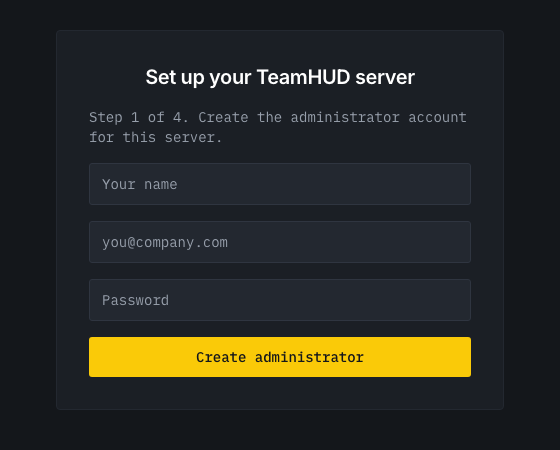
https://<your-host>/setup?token=…, and sign up. Until the first team exists the server lets nobody else in: no sign-up, no sign-in and no calls without that token, and every account made with it becomes a System admin. The setup page also asks who may create accounts afterwards: invite only (recommended, the default), your sign-in provider only, or anyone. The token is also in.envasSETUP_TOKEN. A self-hosted server with no team and noSETUP_TOKENstays shut and says so in its log: run./firstboot.sh, or setSETUP_TOKENand restart. -
A server that has never been activated shows only the activation screen. Sign in to TeamHUD Cloud and approve the code, or paste a licence key. See Licensing.
firstboot.sh is safe to re-run. It never overwrites a secret and never re-asks a question
you have answered, so a first boot that failed halfway is fixed by running it again. Export
the answers (PUBLIC_HOST=… ./firstboot.sh) and it asks nothing,
which is how it runs unattended.
-
Unpack, then create
.envwith generated secrets:Terminal window tar xzf teamhud-selfhost.tar.gz && cd teamhudcp .env.example .envnode gen-keys.mjs >> .envchmod 600 .env -
For a real hostname, set these in
.env:Terminal window PUBLIC_HOST=teamhud.example.comPUBLIC_BASE_URL=https://teamhud.example.comAPP_URL=https://teamhud.example.comLIVEKIT_PUBLIC_URL=wss://teamhud.example.comNODE_IP=203.0.113.10 # the box's public IPADMIN_IP_ALLOWLIST=198.51.100.7gen-keys.mjsdoes not create a setup token. AddSETUP_TOKEN=with any long random string, or setBOOTSTRAP_ADMIN_EMAIL=you@example.cominstead: on first start the server then creates that System admin and prints its generated password once, in the server log (docker compose logs server). -
Start and verify:
Terminal window docker compose up -d./verify-stack.sh
Verify it, don’t assume it
Section titled “Verify it, don’t assume it”verify-stack.sh signs up a real user and walks the whole path:
schemas → migrations → login-token hook → API auth → server reaching its own media server → a real call routed there, at an address clients can actually dialTrust it over docker compose ps. The two failures that matter most, System admins who are
silently not System admins and calls that connect with no audio, both show every container as
healthy.
Connect the desktop app
Section titled “Connect the desktop app”- Install TeamHUD from teamhud.app.
- On the sign-in screen, open Use a different TeamHUD server and enter
https://teamhud.example.com. Evaluating on the box itself?http://127.0.0.1:3001works without a certificate: loopback is treated as secure. - Sign in with the System admin account, then invite your team.
- Going live on a domain: firewall, TURN, and the two settings that break quietly.
- Operations: backups before you have users, not after.