Skip to content

Sound settings

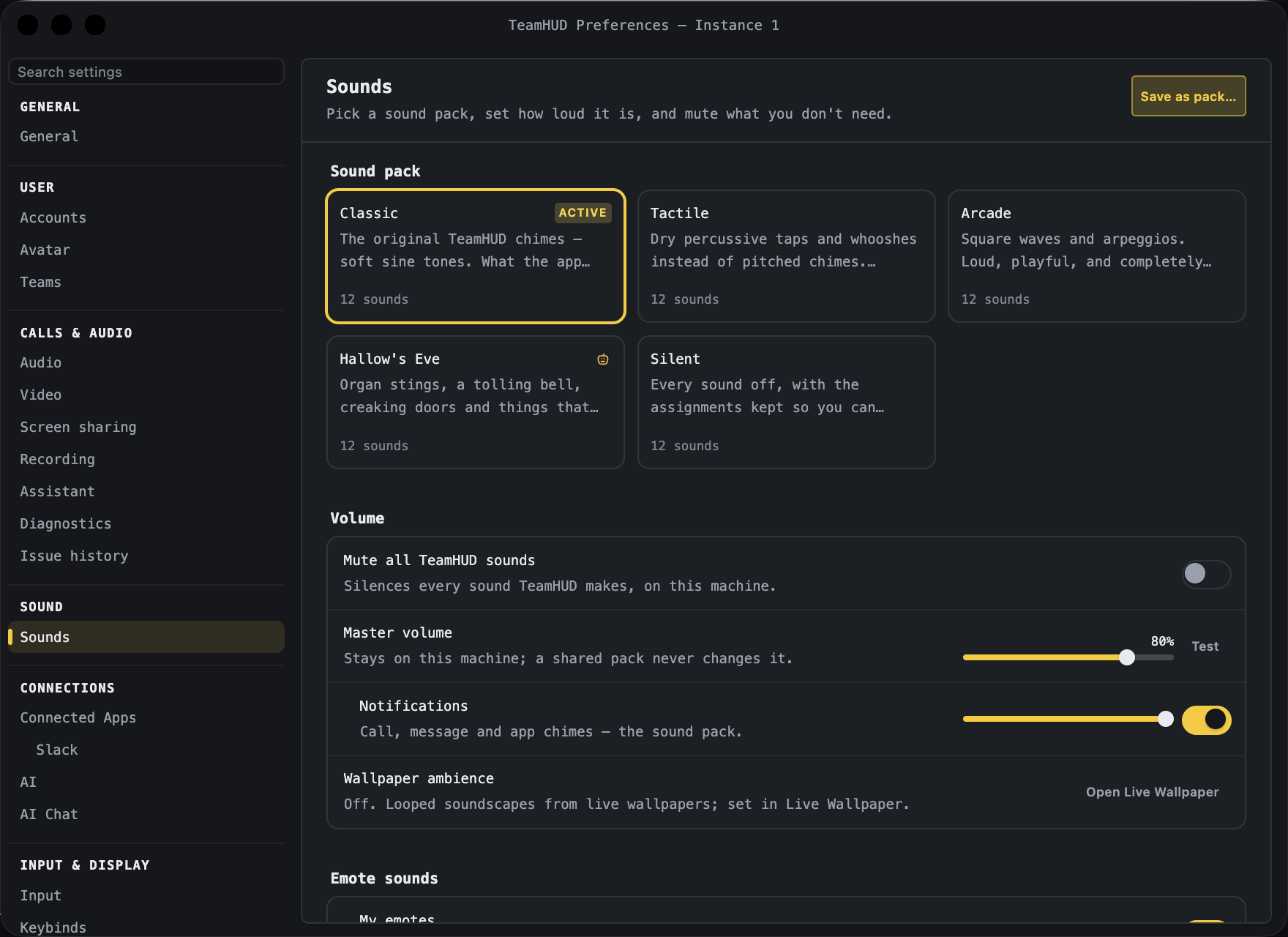
Preferences, Sounds pane with default settings.

Pick a sound pack, set how loud it is, and mute what you don’t need. These sounds are app-wide (call chimes and message pings), and volumes stay on this computer.

At the top right, Save as pack… asks for a Name and saves your current sounds and settings as a new pack (Save / Cancel).

Control What it does Default Notes
Pack cards Click a card to apply that pack. The active pack shows an “Active” badge and each card shows how many sounds it has. The built-in default pack If you have tuned volumes, a prompt “You have tuned some volumes” offers Keep my volumes, Use pack volumes or Cancel.
Delete pack (trash icon on a card) Deletes a pack you saved or imported. Not shown on built-in packs.
Control What it does Default Notes
Mute all TeamHUD sounds Silences every sound TeamHUD makes, on this computer. Your volumes are kept. Off
Master volume Overall loudness. 80% Stays on this computer; a shared pack never changes it. Test plays the “You joined a call” sound.
Notifications On/off and volume for call, message and app chimes (the sound pack). On, 100%
Wallpaper ambience Read-only status of looped soundscapes from live wallpapers. Off, 15% Open Live Wallpaper jumps to that tab, where you change it.
Control What it does Default Notes
My emotes The noise an emote makes when you send it (on/off and volume). On, 100%
Teammates’ emotes Others’ emote sounds (on/off and volume). On, 50% Only plays in a gap in the call, at most one every few seconds per person.

Two groups, each with a group switch (“Call sounds” / “Message sounds”; turn off to mute the whole group). Expand Customize 10 sounds (Call) or Customize 2 sounds (Message) to set each sound’s source (a built-in tone, “From sound pack”, or Upload file (audio, ≤256 KB, ≤5 s)…), its volume, a Test button and its on/off switch.

Sound Default Notes
You joined a call On, 100%
You left a call On, 100%
Someone joined On, 90%
Someone left On, 90%
Incoming call On, 100%
You muted On, 80%
A moderator muted you On, 100%
You unmuted On, 70%
You deafened On, 70%
You undeafened On, 70%
Message received On, 60%
Message sent Off, 45% Opt-in: a sound on every send is divisive.
Control What it does Default Notes
Reset to defaults Back to the default pack, volumes and events. Row label: “Reset sounds”.