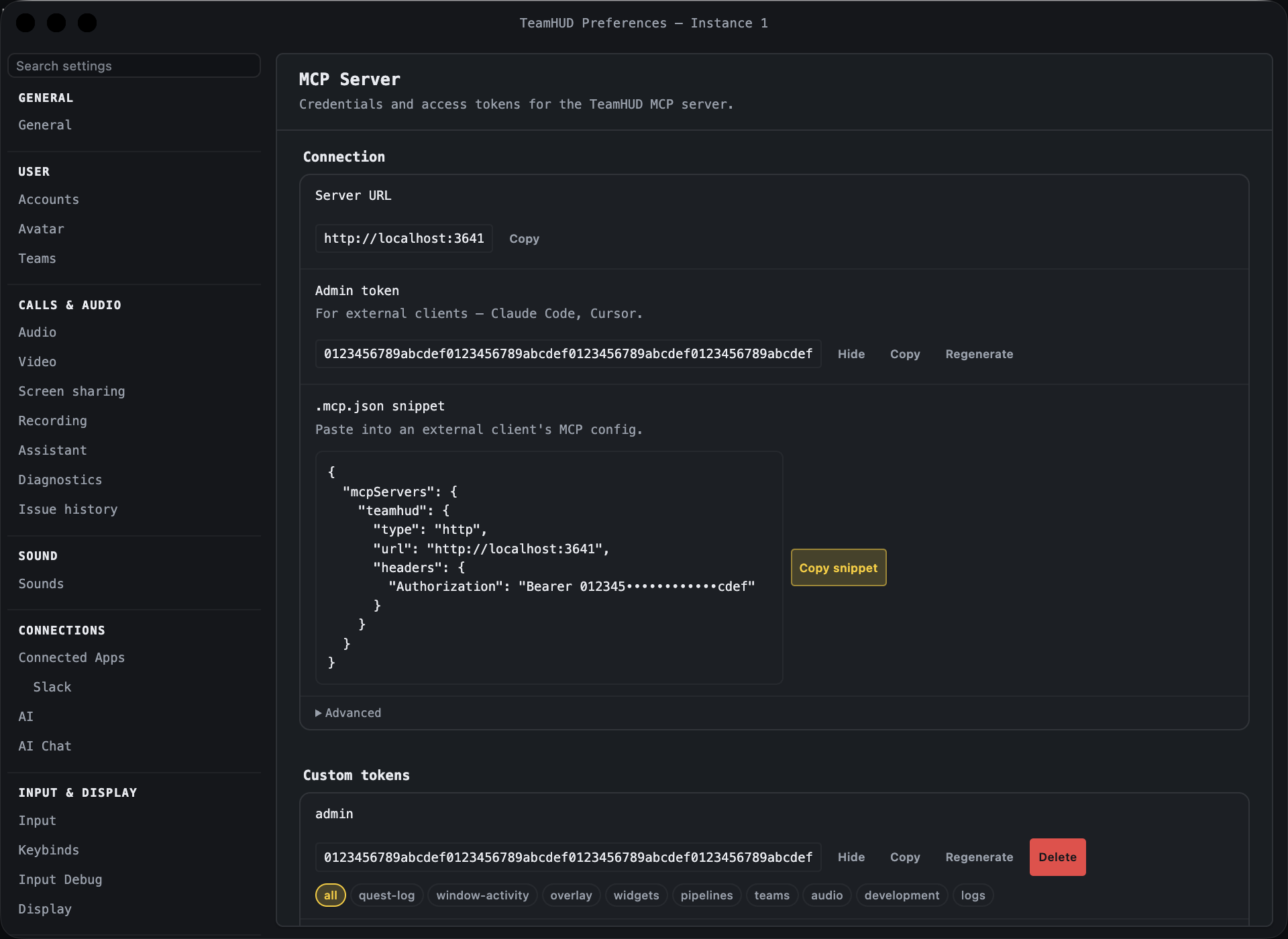
Heading “MCP Server”. Credentials for the local MCP server, which lets outside tools (such as Claude Code or Cursor) drive TeamHUD on this machine. Anyone with a token can act within its scopes, so treat tokens like passwords.
Control
What it does
Default
Notes
Server URL
Address the MCP server listens on. Copy.
n/a
Admin token
Token for external clients. Reveal/Hide, Copy, Regenerate.
generated
Regenerating invalidates the old one.
.mcp.json snippet
Ready-made config for an external client. Copy snippet.
n/a
Scope chips (on each token)
Click to grant or deny a scope.
admin token has all
Scopes: all, quest-log, window-activity, overlay, widgets, pipelines, teams, audio, development, logs. all grants everything.
Require auth, advanced
Require a Bearer token on every request.
On
Turning it off removes that protection. Leave on.
Second HTTP port, advanced
Extra listener on its own port. Still needs a token unless auth is off.
Off
HTTP port, advanced
Port for the second listener (also MCP_SERVER_HTTP_PORT).
28080 unless the build says otherwise
Shown when the second port is on.
HTTP URL, advanced
The second listener’s address. Copy.
n/a
ai-chat-internal token, advanced
Token the built-in AI chat uses. Reveal, Copy, Regenerate.
Rolling health of the main process. Event-loop delay is the figure that matters: overlay cursor tracking runs on it, so a stall shows up as laggy hover.
Control
What it does
Default
Notes
Refresh
Re-reads the numbers.
n/a
Reset
Discards the history and measures from now.
n/a
Copy report
Copies a report for support.
n/a
Status banner
One line saying whether health is OK, with the reason.
n/a
Event loop table
Delay (mean), Delay (p99), Worst stall, with Last / Mean / Worst columns.
n/a
Resource detail, Hardware (collapsed)
CPU, per-process, rendering, memory, sampler, GPU and system detail.
Permanently deletes everything this TeamHUD instance has stored on disk, then restarts it fresh: appearance, profiles, connected accounts and sign-in tokens, widget preferences and layouts, plugin settings, search index, logs and cached data.
n/a
Cannot be undone. A confirmation asks “Erase all TeamHUD data?” first; confirm with Erase all data. You will need to reconfigure and reconnect everything.