
User guide
Glossary
Short definitions for the words you meet in TeamHUD. Roles come last.
Your screen
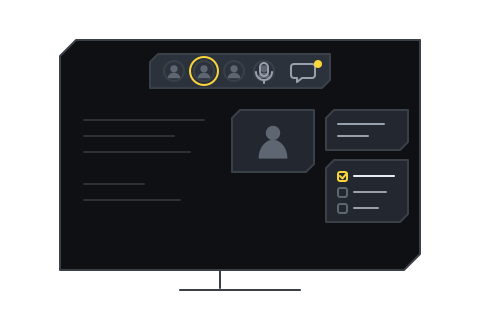
Section titled “Your screen”Overlay. The layer TeamHUD draws over your other apps. Hubs sit on it. See How TeamHUD works.
Hub. An icon on the overlay that opens a panel when you hover or click it, such as AI Chat or Window Activity. See Hubs and widgets.
Widget. A feature you can turn on or off that appears on the overlay, usually as a hub. See Hubs and widgets.
Folder. A hub that groups other hubs into one hover-to-open grid. See Folders.
Custom widget. A widget you or someone else adds by dropping a folder in place, or by asking AI chat to build one. It is sandboxed, and you approve what it may do. See Custom widgets.
Plugin. A part of TeamHUD that you can turn on or off, and that can hold settings of its own. See Plugin settings.
Theme. A look for the overlay and its panels, chosen in Preferences. See Appearance.
Quest, quest log. A quest is a task you add, assign and finish; the quest log is the list of them, for you or your team. See Quest log.
Resource. A pinned link, app or action kept one click away. See Resources.
Suggestion. A quest the assistant proposes from what was said in a transcribed call. Off until an Org owner or Org admin allows it. See Recording, captions and transcripts.
Voice assistant. TeamHUD’s hands-free helper: you speak a command, it shows what it understood on a card, then does it. See Voice assistant.
Voice channel. Your team’s standing voice call, which you join with Join voice. See Join the team voice call.
Meeting. A call with its own title and link that you start and invite people to, including people outside your team. See Run a meeting.
Guest. Someone who joins a meeting from a link in a browser, with no account. See Join a meeting as a guest.
Knock. A guest’s request to be let in. Most meetings ask the host to approve each guest. See Join a meeting as a guest.
Push-to-talk. Your microphone is open only while you hold a key. See Join the team voice call and Hotkeys.
Deafen. Stops you hearing the call, and mutes you as well. See Join the team voice call.
People and places
Section titled “People and places”Organization (org). The company or group that owns the accounts, teams and rules. See Your organization.
Team. A group of people inside an organization who share channels, a voice channel and a quest log. See Lead a team.
Never just “admin”: TeamHUD has four organization-level roles, a server role and a visitor role.
| Role | Where | What it means |
|---|---|---|
| System admin | The whole server | Only on a self-hosted server. Creates accounts and sets server configuration. |
| Org owner | One organization | Owns the organization. See Your organization. |
| Org admin | One organization | Invites and removes people and sets policies. |
| Team lead | One team | Invites people, sets who leads and tends the team. See Lead a team. |
| Member | A team | Uses the team. |
| Guest | One meeting | Joins by link without an account. |
What each role may capture and see: What TeamHUD captures and who can see it.