
Create an organization
Make an organization and become its Org owner. Needs an account: see Install and sign in.
Create it in the app
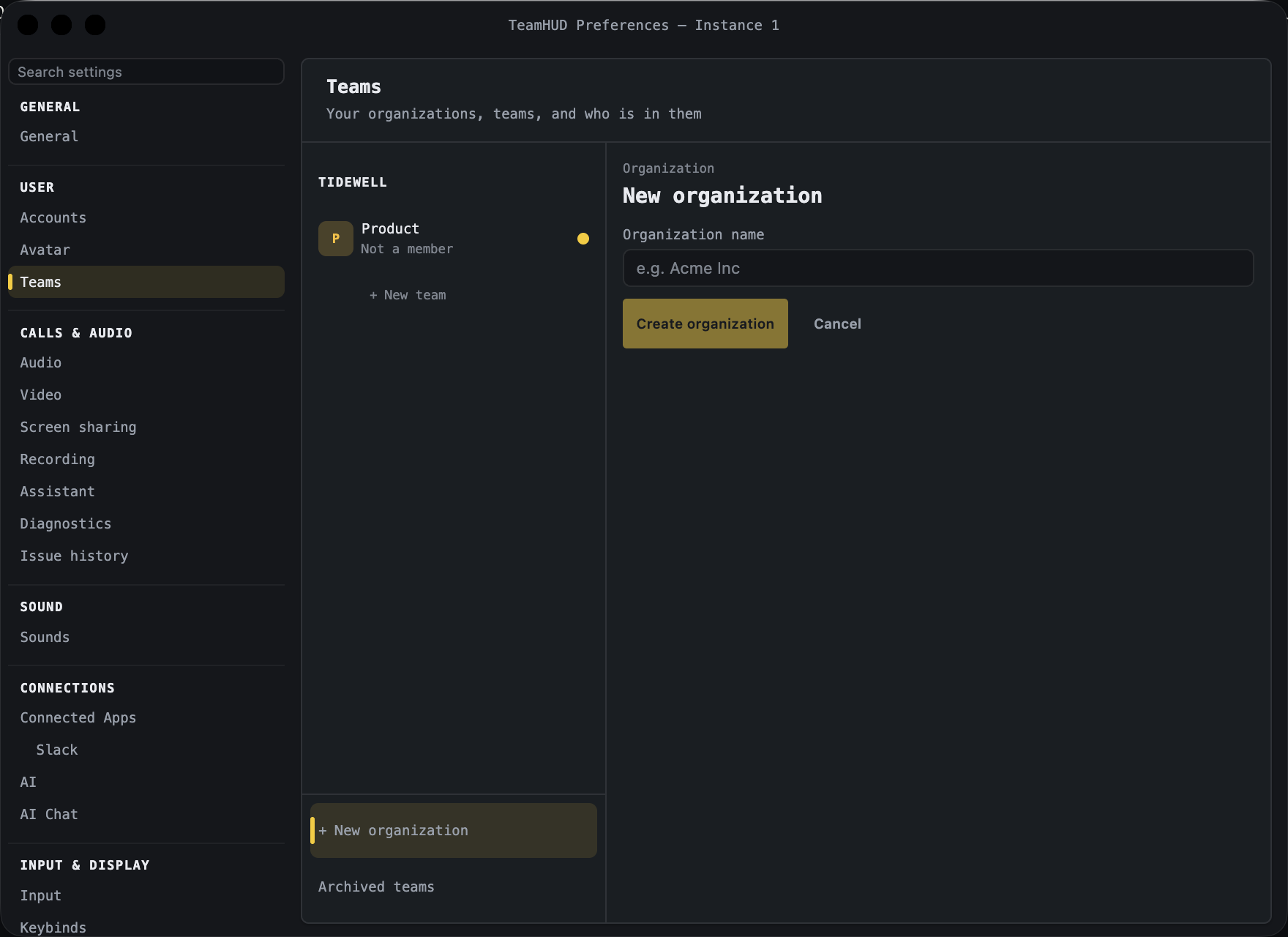
Section titled “Create it in the app”- Open Preferences → Teams.
- At the bottom of the left rail, click + New organization.
- Type the Organization name (for example “Acme Inc”) and click Create organization.
- Add a team: use + New team under your organization, name it, click Create team.
You land on the new organization. Its header reads “Organization · you are owner”. Invite people next from + Invite to org.
Create it on the web
Section titled “Create it on the web”- Sign in to the dashboard (your server’s address, or teamhud.app).
- Open Organizations in the left menu and click New Organization.
- Enter the Name. The Slug (the URL-friendly identifier) fills in from it; edit it if you like.
- Click Create.
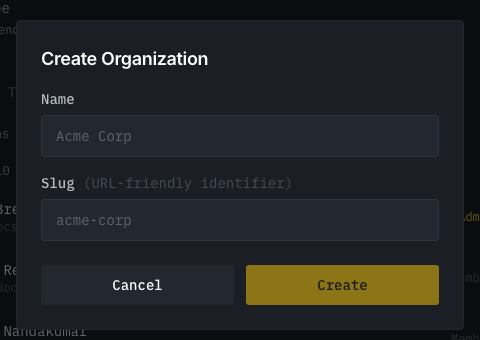
If the slug is taken you are told and can pick another. A free self-hosted server is limited to one organization.
Tour of the dashboard
Section titled “Tour of the dashboard”The left menu has these pages. Org owners and Org admins use the ones marked below.
| Page | What it is for |
|---|---|
| Overview | Your organizations and account at a glance. |
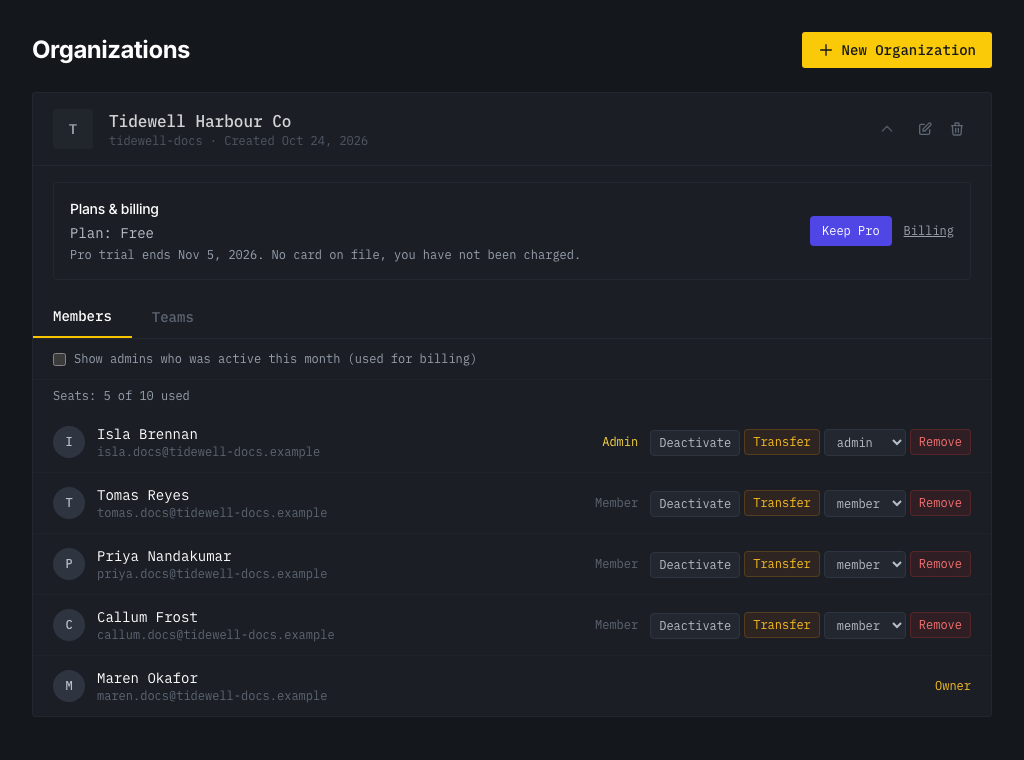
| Organizations | Each organization with a Members and a Teams tab, edit and delete. Org owners also see Plans & billing. |
| Transcription | Org transcription provider and a Test connection. Org owner and Org admin. |
| Recording Policy | The org’s capture switches, and Keep a team’s call recorded. Org owner and Org admin. |
| Sign-in & Channels | Which sign-in methods are accepted, where chat lives, Slack or Microsoft auto-join. Org owner and Org admin. |
| Settings | Your own account settings. |
The menu also has Call Diagnostics, a technical page for troubleshooting calls. A team’s quest-suggestion rules live at /account/suggestions in the dashboard (Team leads edit, members read); only a System admin’s menu links to it. Server pages with an Admin tag are for a System admin.
Policies are covered on Org policies; people on People and ownership.
Edit or rename
Section titled “Edit or rename”On Organizations, the pencil icon (Edit organization) renames it. Org owners and Org admins can. The trash icon (Delete organization) is for the Org owner only: see People and ownership.