
Voice assistant settings
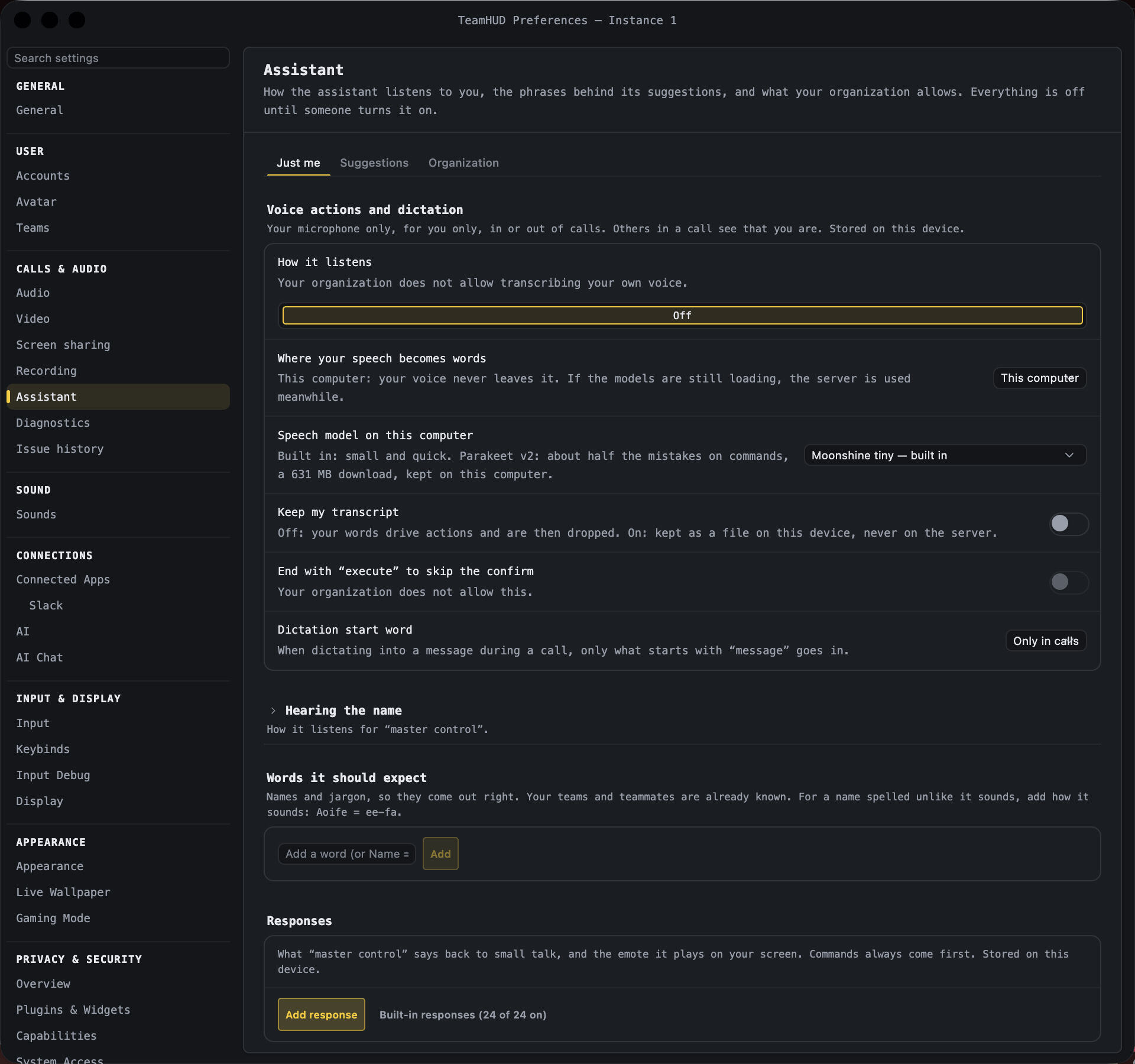
The voice assistant lets you control TeamHUD by voice. Its two settings sections are not separate sidebar tabs: they appear inside Recording & Assistant, Meeting assistant, in the “Just me” section (below the voice-action controls). Both are stored on this device.
Responses
Section titled “Responses”What the assistant says back to small talk, and the emote it plays on your screen. Commands always take priority over responses.
| Control | What it does | Default | Notes |
|---|---|---|---|
| Your responses (one row each: phrase, first reply, emote) | Shows what you added. | none | Up to 100. Each row has Test, Edit, Remove, and an on/off switch. |
| Add response | Opens the editor. | n/a | Disabled at the limit. |
| When I say (one per line) | The phrases that trigger the response. | empty | Up to 10 phrases, 120 characters each. `(a |
| It answers (one per line, one picked at random) | The replies. | empty | Up to 10, 200 characters each. |
| Emote | No emote, ✨ Rez an emoji, or an effect: Confetti, Hearts, Fire, Nerf dart, Thumbs up, Laughing, Applause, Mind blown. | No emote | |
| Emoji to rez | The emoji to build on screen. | empty | Shown only for Rez. Required then. |
| Save / Test / Cancel | Save needs at least one phrase and one reply. Test plays it. | n/a | |
| Built-in responses (N of M on) | Reveals the shipped responses, each with Test, an on/off switch and Copy to edit. | hidden; built-ins on |
Understanding
Section titled “Understanding”How the assistant works out what you meant when your wording is not an exact phrase. All of it runs on this computer.
| Control | What it does | Default | Notes |
|---|---|---|---|
| Understand more ways of saying things | Uses a small local model to read commands the phrases miss. Nothing leaves this computer. | On | A status line shows Off, Loading, Ready (with version), or why it could not load (it then falls back to phrases and word matching). |
| Model list | Pick one: Ettin-68m, ModernBERT-base, LFM2.5-Encoder-230M, Ettin-32m. Each card shows size, speed, accuracy and license. | Ettin-68m (included) | Shown when the switch is on. Others show Download (N MB) with progress and Cancel; they are chosen once verified. A model not yet published says “Not available yet”. |
| Backup model | A small language model asked only when nothing else understood. A quick action it proposes (mute, presence) just runs, with undo; anything else asks first. | Qwen3.5-0.8B (0.5 GB) | Options: Off, Qwen3.5-0.8B (0.5 GB). Runs on this computer. Says “Not available yet — it is not on this computer” if the model files are missing. |
| Run the backup model on | Auto, CPU or GPU. | Auto | Shown when a backup model is chosen. Auto uses the graphics chip on a Mac, the CPU on Windows and Linux. |
| Learn from my corrections | Keeps the phrasing when you confirm a guess or restate a missed command. Local only, never uploaded. | Off | When any are kept, “N phrasings kept.” appears with Forget them. |
| Word matching (no model) | Suggests a card when nothing else understood. | On | |
| Keep a voice debug history | Keeps your last commands (your own voice recording, what was heard, what it understood) to look into mis-hearings. Your microphone only, never other people; kept on this computer, never uploaded. | Off | Cards show “kept” while it is on. “N kept.” appears with Export… (and a clear button). |
| How many to keep | How many recent commands the history holds; older ones are deleted. | 50 | Shown when the history is on. 10 to 200. |